
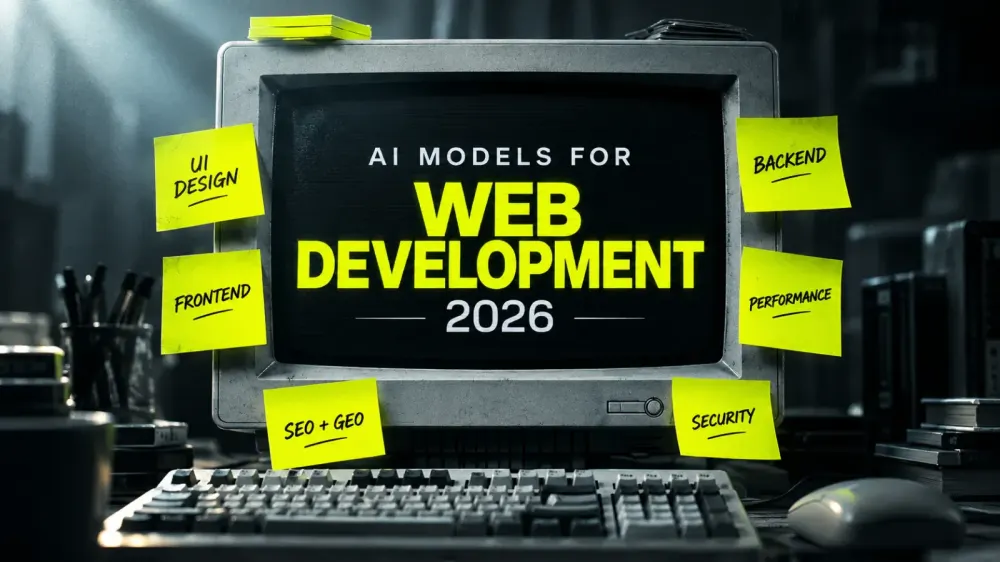
Developers are constantly asking the same questions:
- Which AI model produces the most polished, professional frontend designs and clean code without that generic, AI-generated look?
- Which more affordable model can deliver a similar level of frontend quality?
- Which AI model is best for building a strong, reliable backend, and what is the most cost-efficient alternative?
- Which model can handle backend architecture, database setup, and large projects that require long-context understanding?
- Which AI model is best for website performance optimization, bundle-size reduction, and Core Web Vitals?
- Which model should you use for SEO, GEO, and AEO to improve website visibility and growth?
- And which models are best suited for security audits, privacy reviews, and secure implementation?
This guide covers each of these questions, helping you choose the right AI model for each development task without overspending on a single model for everything.
Choosing AI models for web development is no longer about finding one powerful model to handle everything. Professional workflows cover UI design, frontend logic, backend architecture, performance optimization, growth, and security audits. Each task requires a different balance of creativity, reasoning, context, speed, and cost.
The smarter approach is to build a small AI model stack. Use a high-capability model when a task demands deep reasoning or polished creative work, then switch to a more cost-efficient model for repetitive edits, implementation, and optimization. This reduces unnecessary token spending, speeds up iteration, and lets you focus your budget where quality matters most.
Based on model capabilities, published benchmarks, and developer-community feedback, here is a practical workflow for creative developers and professional web teams. These are task-based recommendations, not a universal ranking.
- Best AI Models for UI Design and Frontend Structure
For the polished first build
Recommended: Claude Opus 5.5, GPT-6.1 Sol, and Gemini 4 Argon.
For a polished first build, my preference is Claude Opus 5.5 when the project requires a strong visual direction, consistent components, and fewer rounds of refinement. GPT-6 Sol and Gemini 4 Argon are worth testing as cost-conscious alternatives for design exploration.
In my assessment, the alternatives may need two to four additional prompt iterations to reach the same visual direction in some projects. However, the result depends heavily on the quality of the prompt, design references, framework, component libraries, and assets you provide.
My recommendation: Give the model a clear design system, reference websites, spacing rules, typography, framework requirements, and interaction examples. The model is only part of the equation; the resources and constraints you provide can significantly influence the final output.
API pricing comparison
Standard API pricing in USD per million tokens:
Model
Input
Output
Claude Opus 5.5
$4.00
$20.00
GPT-6.1 Sol
$2.00
$10.00
Gemini 4 Argon
Verify official rate
Verify official rate
Source: official Anthropic pricing and OpenAI model pricing. I could not independently verify an official Gemini 4 Argon rate during this research. These are API token rates, not subscription prices. Provider pricing and model availability can change.
For component refinement and frontend logic
Recommended: Composer 2.5 in Cursor, Gemini Flash models where available, Kimi K3, GLM 5.x, and Grok 4.6/4.7.
Once the initial design structure is ready, use a fast, cost-efficient coding model to refine individual components, adjust spacing, improve hover states, fix forms, handle mobile layouts, and update frontend functions or logic.
Composer 2.5 is a practical choice for iterative coding inside Cursor. Gemini Flash models are another option in compatible development environments, including Antigravity and other supported integrations.
Cost-effective picks: Composer 2.5 and Gemini Flash models for frequent design adjustments and implementation work.
Composer 2.5's published standard API rates are $0.50 per million input tokens and $2.50 per million output tokens. Fast mode costs more, so check the official Composer pricing.
- Best AI Models for Backend Development
High-tier projects: Claude Opus 5.5 is my preferred starting point for complex full-stack systems, difficult debugging, multi-step implementation, and architectural decisions.
Mid-tier and upper-mid-tier projects: GPT-6.1 Sol and Gemini 4 Argon are strong candidates to test before committing to a more expensive workflow. Kimi K3 and GLM 5.x are also worth evaluating for suitable backend tasks.
Gemini 4 Argon is my cost-conscious candidate for backend work that requires handling a large codebase, maintaining context, and coordinating multiple implementation steps. GPT-6.1 Sol can also deliver excellent results on complex coding tasks, so compare them against the actual project rather than assuming one model always wins.
What do project tiers mean here?
Amateur-level projects: Personal websites, prototypes, simple landing pages, and basic CRUD applications.
Mid-tier projects: Business websites, CMS integrations, authentication, dashboards, and standard API integrations.
Upper-mid-tier projects: Multi-role platforms, complex business logic, third-party integrations, and more demanding data workflows.
High-tier projects: Production SaaS platforms, advanced authorization, payment systems, complex APIs, and multi-service architectures.
Extreme-tier projects: Large-scale distributed systems, mission-critical infrastructure, high-throughput platforms, and systems with demanding reliability or compliance requirements.
These tiers are practical guidelines, not formal industry classifications. Choose the model based on architectural complexity, risk, testing requirements, and the cost of failure—not project size alone.
- Best AI Models for Website Performance Optimization
Recommended: GPT-6.1 Sol or Gemini 4 Argon.
For performance work, a cost-efficient model is often enough to investigate Lighthouse reports, identify expensive scripts, review bundle sizes, diagnose rendering bottlenecks, and suggest improvements to Core Web Vitals.
Provide real evidence: Lighthouse reports, browser traces, network waterfalls, server logs, and relevant code. Ask the model to prioritize fixes by expected impact and implementation effort.
The goal is not merely to produce optimization suggestions. It is to implement changes and verify improvements using repeatable measurements.
- Best AI Models for Website Growth and SEO/GEO/AEO
Recommended: Claude Opus 5.5 for complex growth strategy and multi-step analysis.
Growth optimization involves more than generating content. It can include technical SEO, internal linking, structured data, local SEO, conversion optimization, content architecture, and visibility across search engines and AI answer platforms.
Use a capable reasoning model to connect evidence from Google Search Console, analytics, crawling tools, competitor research, and conversion data. Then use smaller models for repetitive tasks such as metadata drafts, page briefs, internal-link suggestions, and content formatting.
For StackKit-style growth workflows, keep recommendations grounded in measurable evidence. AI-generated schema, SEO fixes, and GEO/AEO suggestions must be validated before deployment. No model can guarantee rankings, citations, or traffic growth.
- Best AI Models for Security Audits and Setup
Recommended: Gemini 4 Argon for long-context analysis or Claude Opus 5.5 for complex security reviews.
Both are candidates for reviewing authentication flows, authorization rules, API endpoints, dependency risks, environment configuration, and privacy-related implementation decisions.
Use AI to help identify risks, explain attack scenarios, review code, and propose remediation. Then verify findings with established security tools, automated tests, and qualified human review.
For sensitive applications, never rely on an AI model as the only security control. Follow recognized guidance such as the OWASP Top 10 for LLM Applications 2026 where relevant, along with appropriate web application security standards.
The Practical AI Stack for Web Developers
Development task
Models to evaluate
Initial UI design
Claude Opus 5.5, GPT-6.1 Sol, Gemini 4 Argon
Component refinement
Composer 2.5, Gemini Flash
Frontend functions and logic
Composer 2.5, GPT-6.1 Sol, Kimi K3
Backend architecture
Claude Opus 5.5, GPT-6.1 Sol, Gemini 4 Argon
Performance optimization
GPT-6.1 Sol, Gemini 4 Argon
SEO/GEO/AEO and growth
Claude Opus 5.5
Security and privacy review
Gemini 4 Argon, Claude Opus 5.5
These are starting points for evaluation, not benchmark-certified winners. Test models on representative tasks from your own codebase, and compare output quality, correction time, token usage, and reliability.
Final Takeaway
The best AI workflow for web development in 2026 is not about using the most powerful model for every task. It is about matching the right model to the right job.
Use advanced models where creative quality, architectural reasoning, or risk demands them. Use cost-efficient coding models for repetitive implementation and refinement. Validate everything with real measurements, tests, and security checks.
A well-designed model stack can be more practical than a single-model workflow because it balances quality, cost, and control across the entire development lifecycle.
References and Developer Resources
Use these sources to verify current model capabilities, pricing, and evaluation methods:
Anthropic — Claude Opus 5.5: Official model capabilities, benchmarks, and pricing.
OpenAI — GPT-6.1 Sol documentation: Model specifications and API costs.
Cursor — Composer 2.5 documentation: Coding workflow and pricing.
Google AI for Developers — Gemini API pricing: Official Google API rates and billing information.
Stack Overflow — 2025 Developer Survey analysis: Developer adoption, trust, and practical AI workflow concerns.
OWASP GenAI Security Project: Community-driven security guidance for AI applications.